

Desktop disk analyzer
See what’s
taking up space.
Scan a drive or folder, spot the files using the most space, and decide what to keep.
Windows macOS Linux Open source
Scan & explore
See the biggest files first.
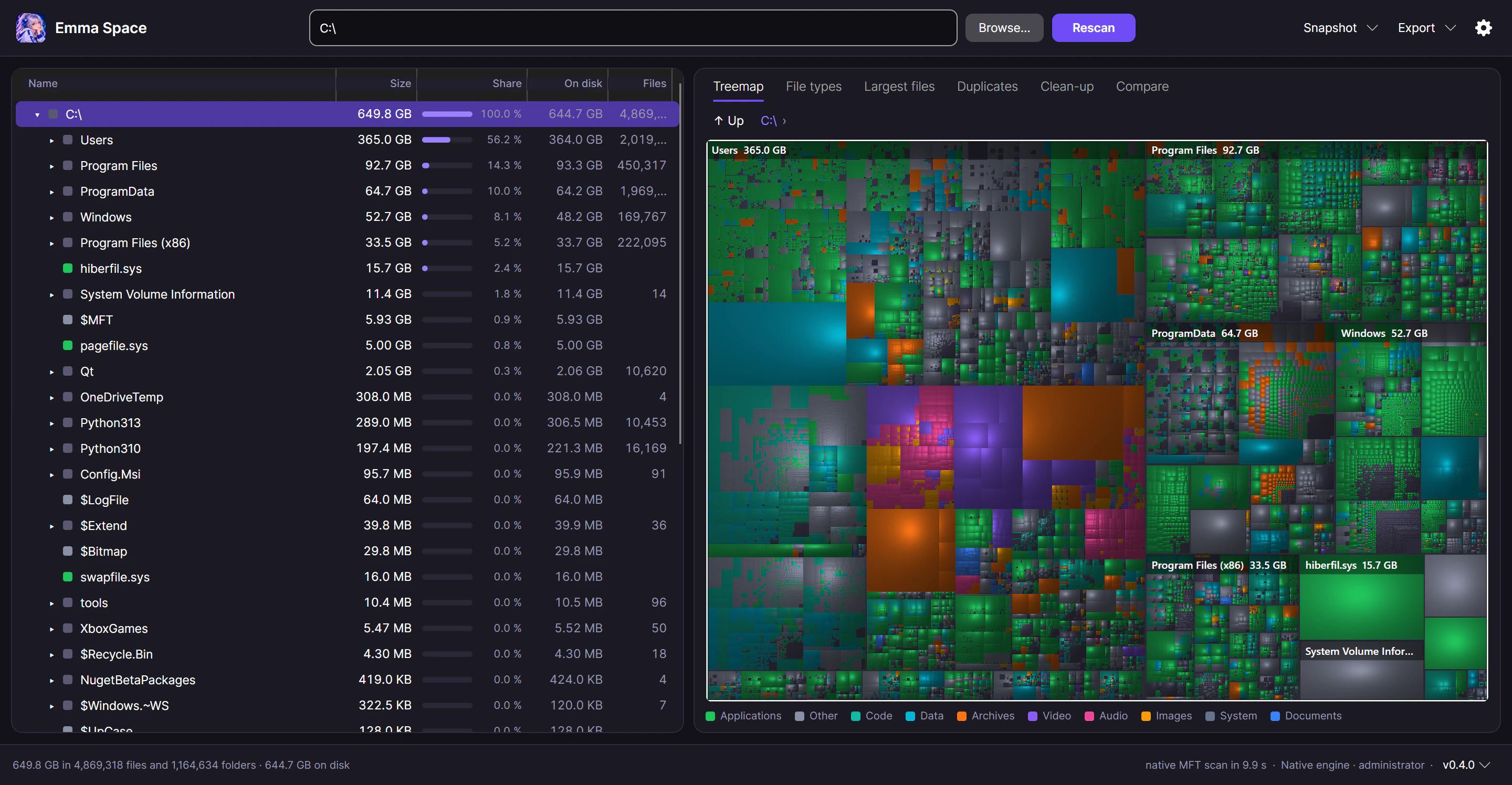
A visual treemap turns disk usage into blocks. The bigger the block, the more space it takes. Zoom into a folder, browse the tree, or see which file types add up fastest.
The native engine scans folders in parallel and can read whole NTFS drives and ext2/3/4 volumes directly with elevated access.

- Find duplicates
- Group matching files by content and review where each copy lives.
- Review cleanup candidates
- Find old files and empty folders, then choose what to move to the Trash or Recycle Bin.
- Export a report
- Save a self-contained HTML report or export file and folder data to CSV.

Scan snapshots
Find out what changed.
Save a scan as an .emmasnap file and compare it with a later scan to see what grew, shrank, appeared, or disappeared.
Free & open source
Get Emma Space.
Windows
Windows 10/11 (x64) · Windows 11 (ARM64)
macOS
macOS 12 or later
Linux
x64 · AppImage
Portable Windows and macOS builds and SHA-256 checksums are available in the latest GitHub release.